Whitelist
The Whitelist defines trusted domains and email addresses that SucuriLabs should exclude from phishing campaign analysis. Messages from whitelisted sources are not flagged, which helps reduce false positives for legitimate internal or partner communications.
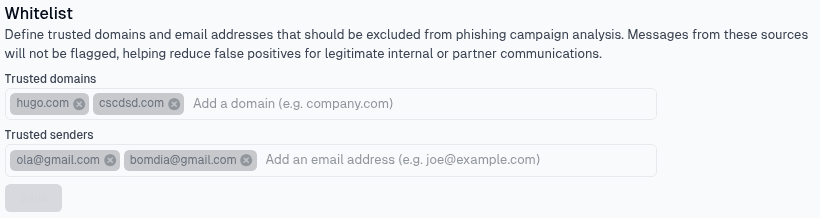
Whitelist options
There are two types of trusted sources on this page:
| Setting | What it controls |
|---|---|
Trusted domains | Allows all messages from the listed domains, such as company.com |
Trusted senders | Allows messages from specific email addresses, such as joe@example.com |
Use trusted domains when every sender from a domain should be excluded from phishing analysis. Use trusted senders when only specific email addresses should be excluded.
Managing entries
Add a domain or email address in the matching field, then select Save to apply the whitelist. To remove an existing entry, select the remove icon beside the domain or sender and save the updated list.
Last updated on