Incidents
Review detections and find incidents that need investigation.
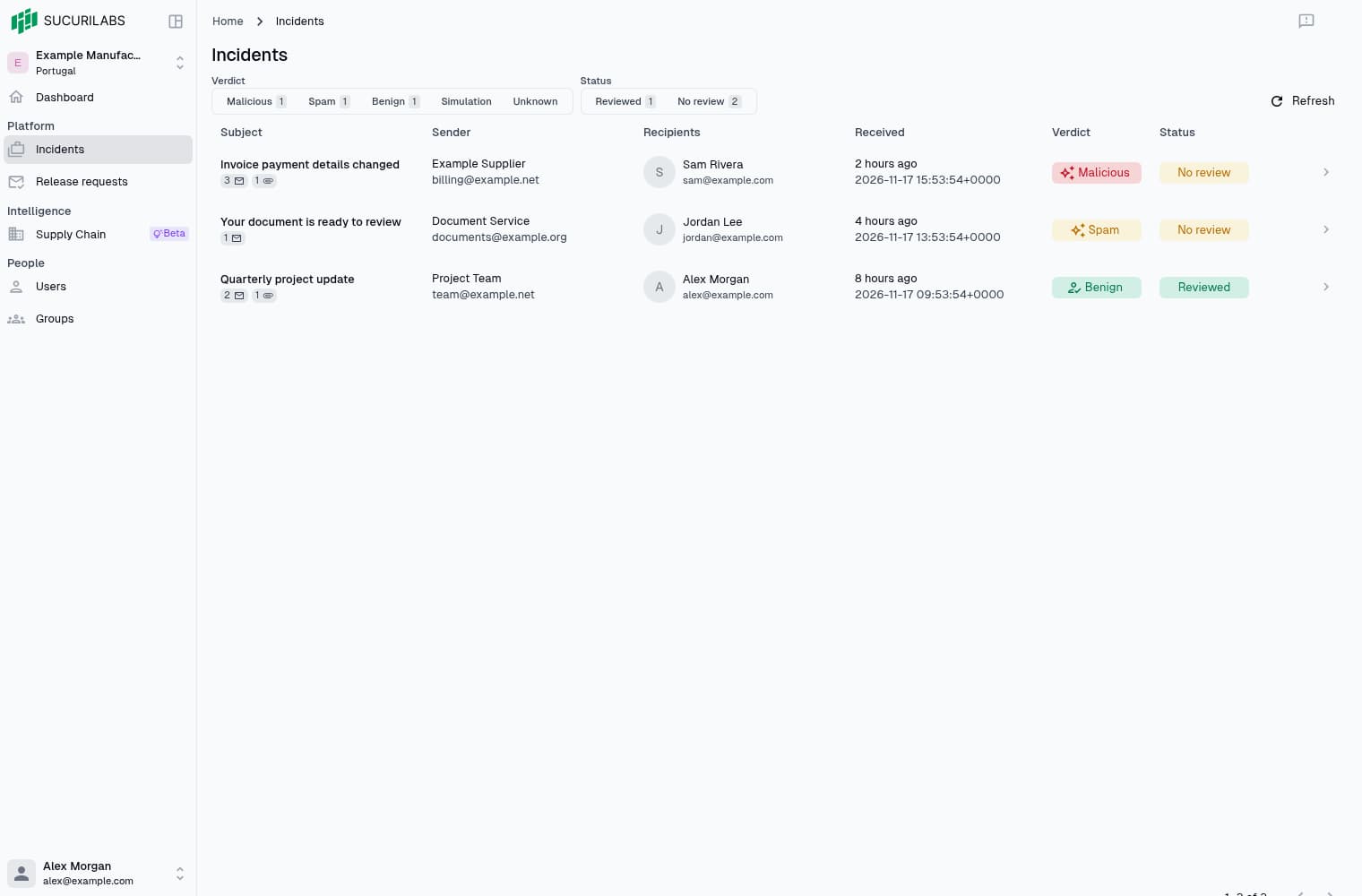
Filtering incidents
Select a verdict or review status above the list to filter incidents.
| Filter | Description |
|---|---|
| Verdict | Malicious, Spam, Benign, Simulation, or Unknown |
| Status | Reviewed or No review |
Counts show matching incidents. Select an active filter again to clear it, or Refresh to reload the list. Skipped appears on incident rows but is not a separate filter option.
Incident table
Related emails can be grouped in one incident.
| Column | Description |
|---|---|
| Subject | Incident link and message/attachment counts |
| Sender | Sender name and email |
| Recipients | Primary and additional recipients |
| Received | Receipt time |
| Verdict | AI verdict or reviewed classification |
| Status | Review status |
Message counts include emails grouped in the incident, attachment counts show distinct files. Reviewed incidents can show the analyst’s classification in place of the original AI verdict.
Select the subject, double-click the row, or select its arrow to open Triage. A single click elsewhere does not open it.
Last updated on