Activate Users
Before you start
After you connect Microsoft 365 and complete the initial import, SucuriLabs adds your users to the Users page. Activating a user includes that account in monitoring, alerts, and reporting.
Open the users page
Sign in to SucuriLabs , then open the Users page .
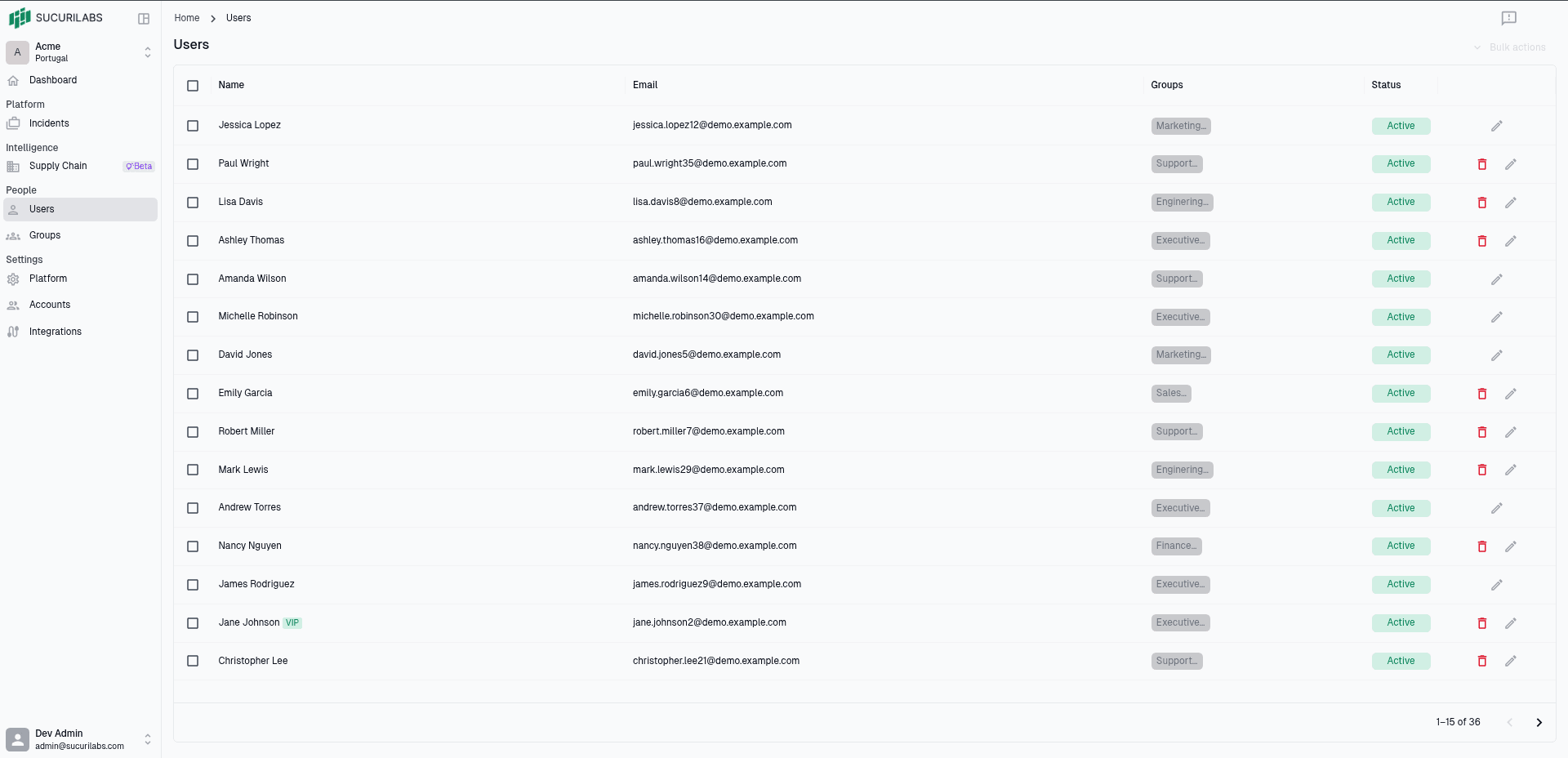
On this page, you can review imported users, confirm which groups they belong to, and check whether each account is currently active.
Single user activation
Open the user record
Find the user you want to activate and select the edit action for that row.
This opens the Edit user form, where you can control whether the user is included in monitoring, alerts, and reporting.
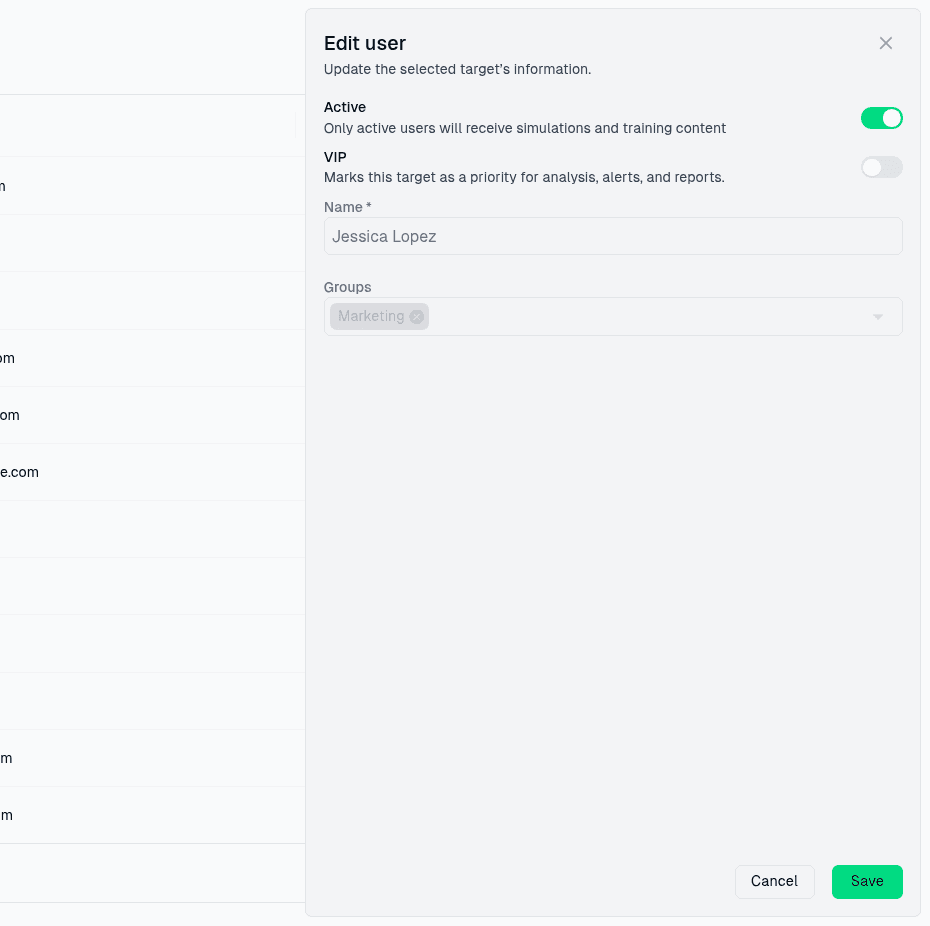
Enable Active
In the Edit user form, turn on Active.
When Active is enabled, SucuriLabs includes that user in monitoring,
analysis, alerts, and reporting workflows. Leave Active disabled for
accounts that should remain in the system but should not be monitored.
If the user is especially sensitive, such as an executive or finance approver,
you can also enable VIP so their activity receives extra attention during
analysis and review.
Save the change
Select Save to apply the updated user settings.
After saving, the user remains available on the Users page with the updated status. Repeat these steps for any additional users you want SucuriLabs to monitor.
Multiple users activation
Select the users
On the Users page, use the checkboxes in the table to select the users you want to activate.
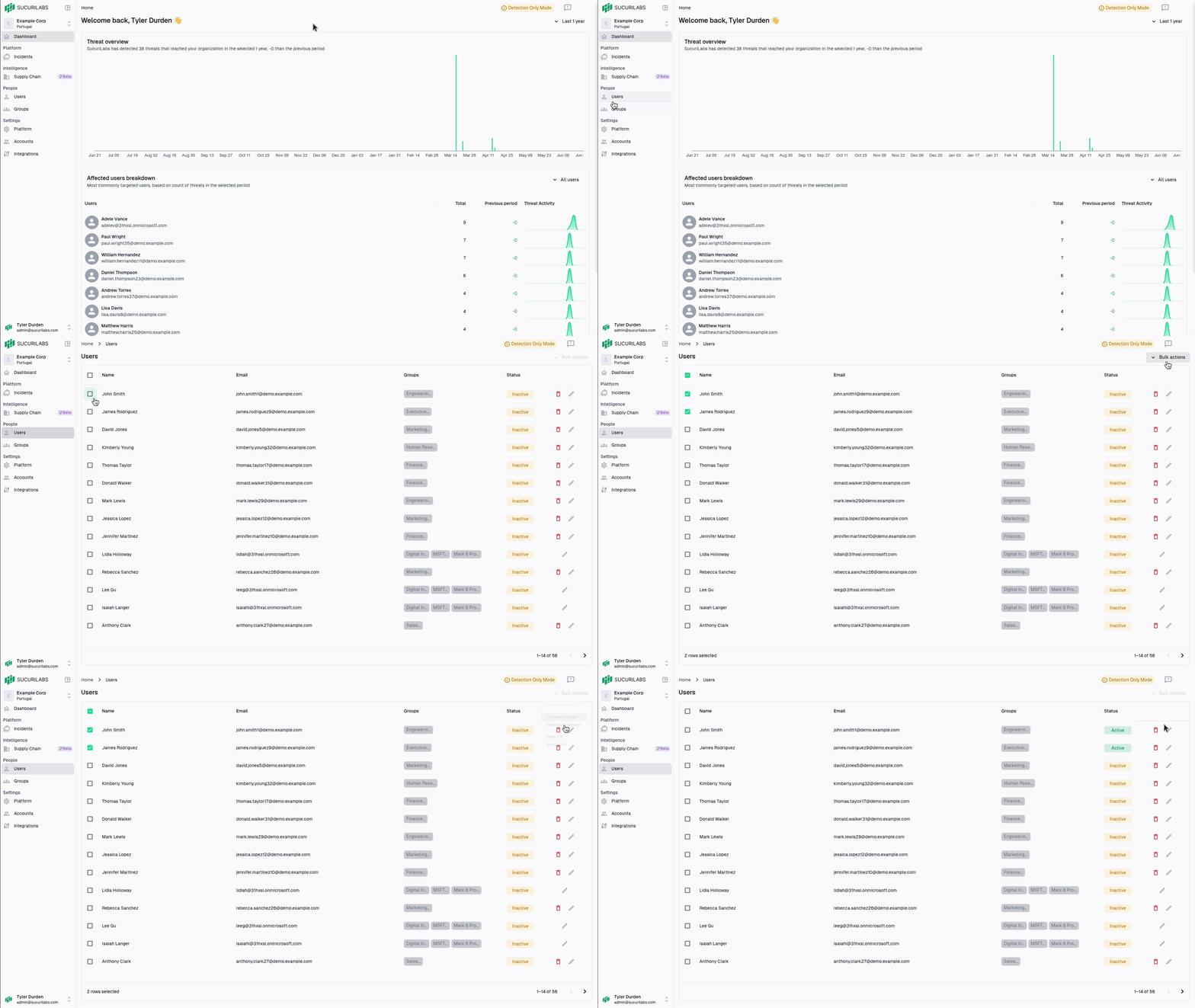
After you select one or more users, the bulk actions menu becomes available.
Open bulk actions
Click Bulk actions to open the list of actions you can apply to the selected users.
Activate selected
Click Activate selected.
SucuriLabs updates all selected users so they are included in monitoring, analysis, alerts, and reporting workflows.
After the action completes, the selected users remain on the Users page with their updated active status.