Full Message Retention
Full Message Retention controls how long SucuriLabs keeps the full raw contents of messages that are available for search and incident response.
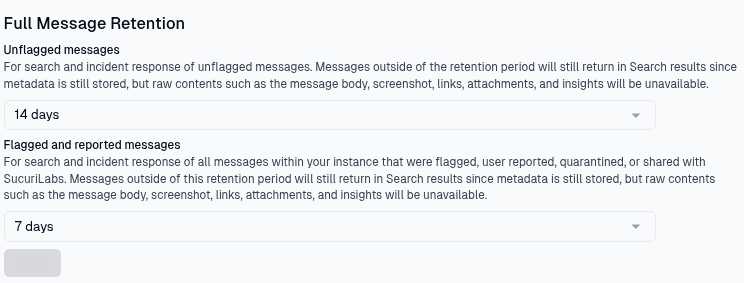
Retention options
There are two retention periods on this page:
| Setting | Applies to | What it controls |
|---|---|---|
Unflagged messages | Messages that were not flagged, reported, quarantined, or shared with SucuriLabs | How long the message body, screenshots, links, attachments, and insights remain available |
Flagged and reported messages | Messages that were flagged, user reported, quarantined, or shared with SucuriLabs | How long the full message content remains available for higher-priority investigation workflows |
After a message passes its retention period, it can still appear in Search results because SucuriLabs keeps message metadata. However, the raw message contents are no longer available. This means administrators can still find the record, but they will not be able to view details such as the message body, screenshot, links, attachments, or generated insights.
Saving changes
Choose the retention period for each message type from the dropdowns, then select Save to apply the new settings.
Last updated on