Threat Prevention Mode
Threat Prevention Mode controls whether SucuriLabs actively blocks malicious content or only detects and reports potential threats.
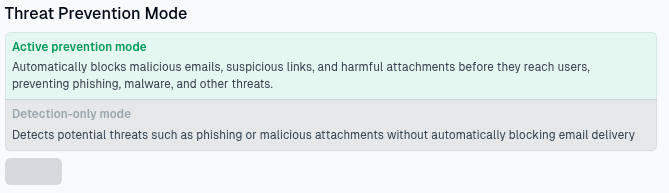
Prevention options
Choose one of the available operating modes:
| Mode | What it does |
|---|---|
Active prevention mode | Automatically blocks malicious emails, suspicious links, and harmful attachments before they reach users |
Detection-only mode | Detects potential threats, such as phishing emails or malicious attachments, without automatically blocking delivery |
Active prevention mode provides stronger protection because SucuriLabs takes action before harmful content reaches users. Detection-only mode is useful when administrators want to monitor threats and review detections without changing mail delivery behavior.
Saving changes
Select the prevention mode that matches your organization’s security policy, then select Save to apply the setting.
Last updated on