Changelog
New ways to investigate email threats, work with your team, and keep people protected.
November 18, 2026
Quarantine release requests
People can now ask for an email held in quarantine without needing access to SucuriLabs. Daily email summaries show newly held messages and give recipients a way to request the ones they need.
Your security team can review requests alongside the incident evidence and approve or deny them, individually or in bulk. Choose who receives summaries, when they arrive, and which reviewers get notified.
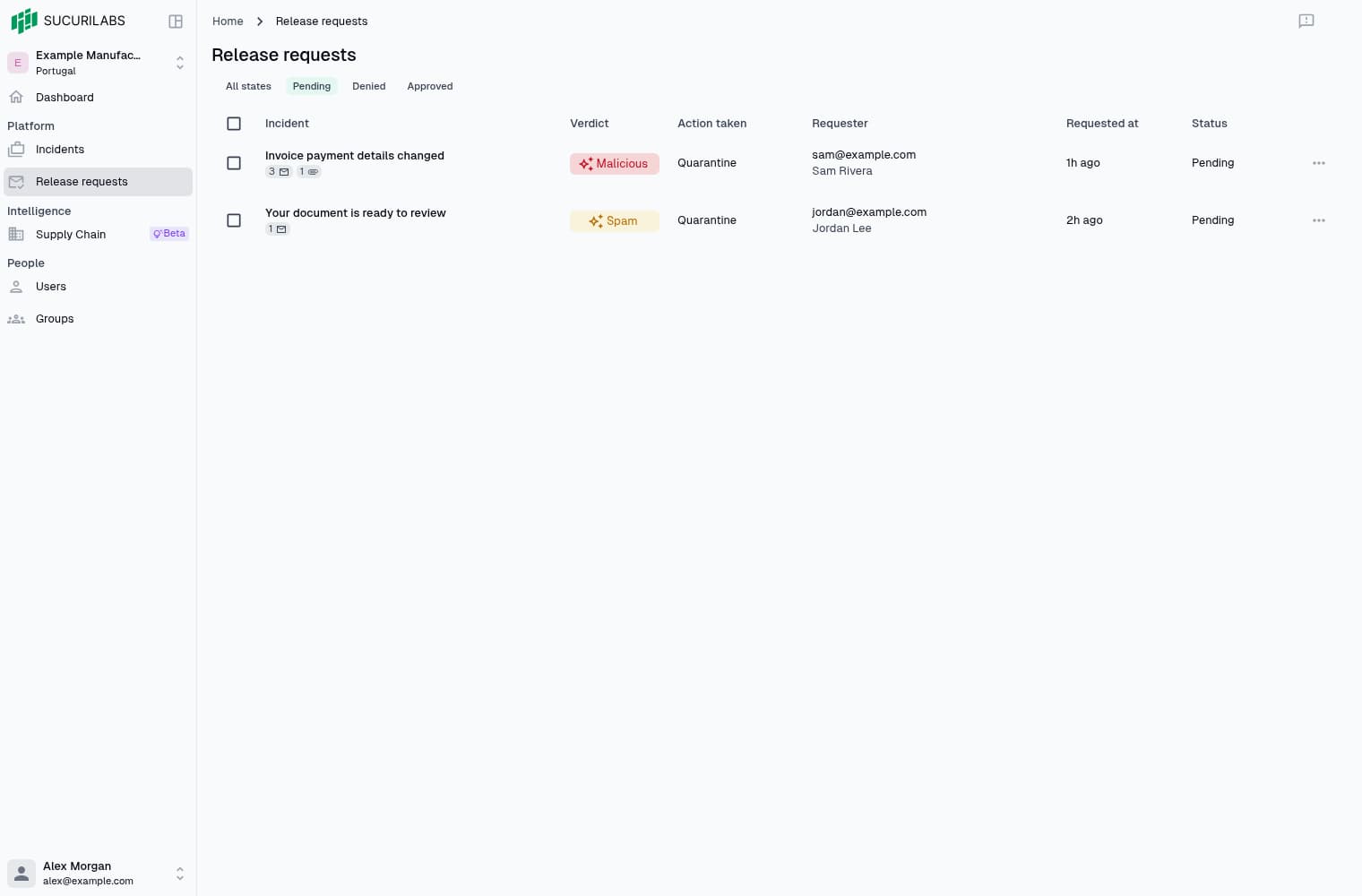
When a released email is confirmed back in the inbox, you’ll see it in the incident’s activity and the recipient will be notified. You’ll know it was returned, not just approved.
Get started with quarantine digests and reviewing release requests.
More room to investigate
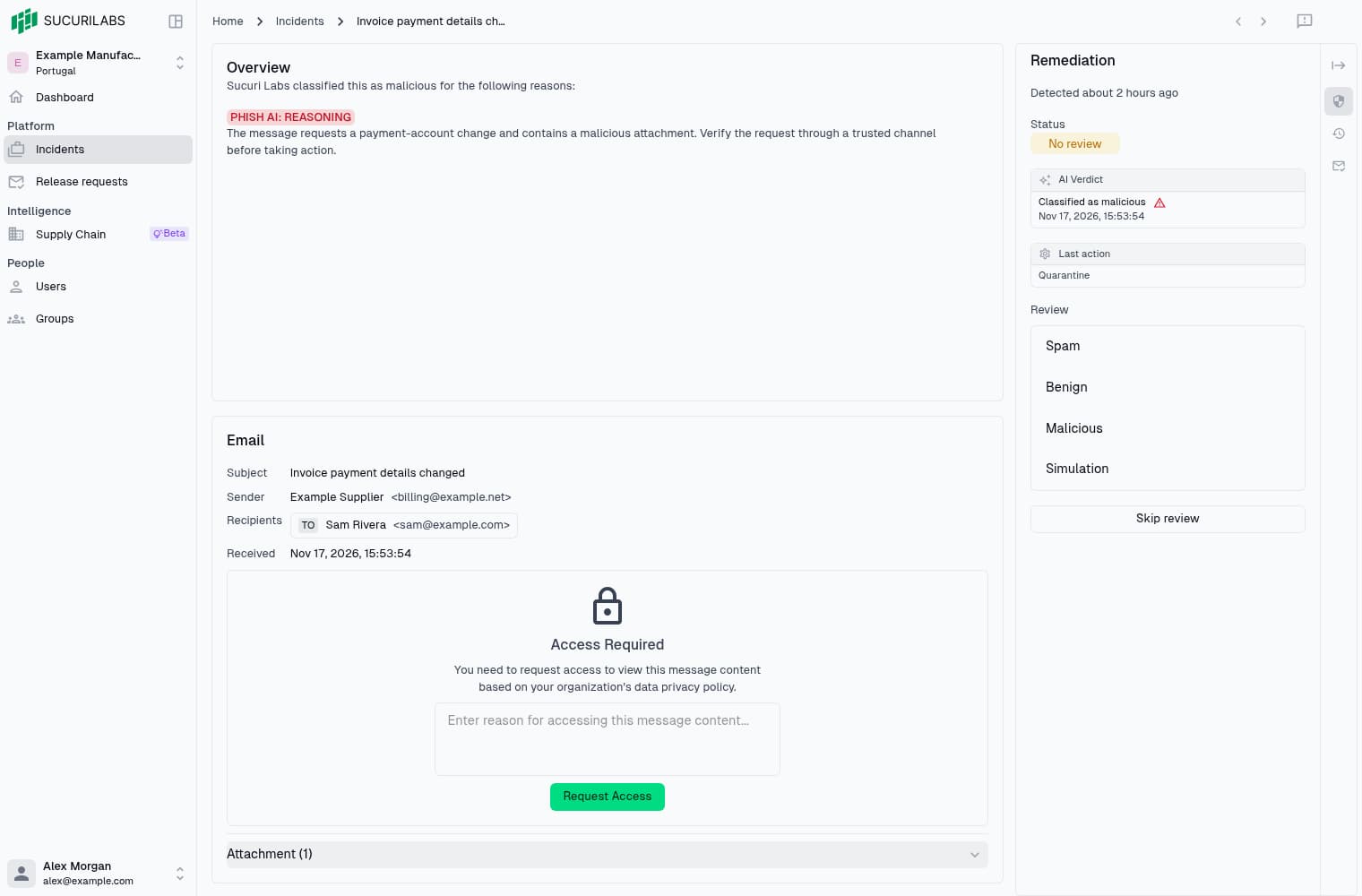
Review the evidence and decide what to do without switching between pages. The updated triage workspace keeps response controls, activity, and release requests beside the message you’re investigating.
Collapse the side panel when you need more space, or move between panels without losing your review notes. Previous and next controls keep the next incident within reach.
Invite your team
Invite teammates to your workspace without setting passwords for them. They choose their own when they join, and you can see who’s still waiting to accept or resend an invitation that didn’t arrive.
Manage invitations and access in Members.
Improvements and fixes
- Search Settings to find a control, then return to where you left off.
- Update your profile, password, and notification preferences in Personal settings.
- Malicious attachments now have a visible warning in incident details.
- Account and quarantine emails explain what happened and what to do next.
- Microsoft 365 setup shows progress and retries temporary user-import failures.
- Bulk activation and VIP changes now apply to every selected user.
- Changing protection or VIP status no longer overwrites Microsoft-managed user details.
- Fixed errors when scanning large PDFs and spreadsheet attachments.
July 3, 2026
Find your way with Command Search
Jump to an incident list, open settings, or switch themes without hunting through
menus. Press Cmd-K on macOS or Ctrl-K on Windows/Linux, type what you’re
looking for, and press Enter.
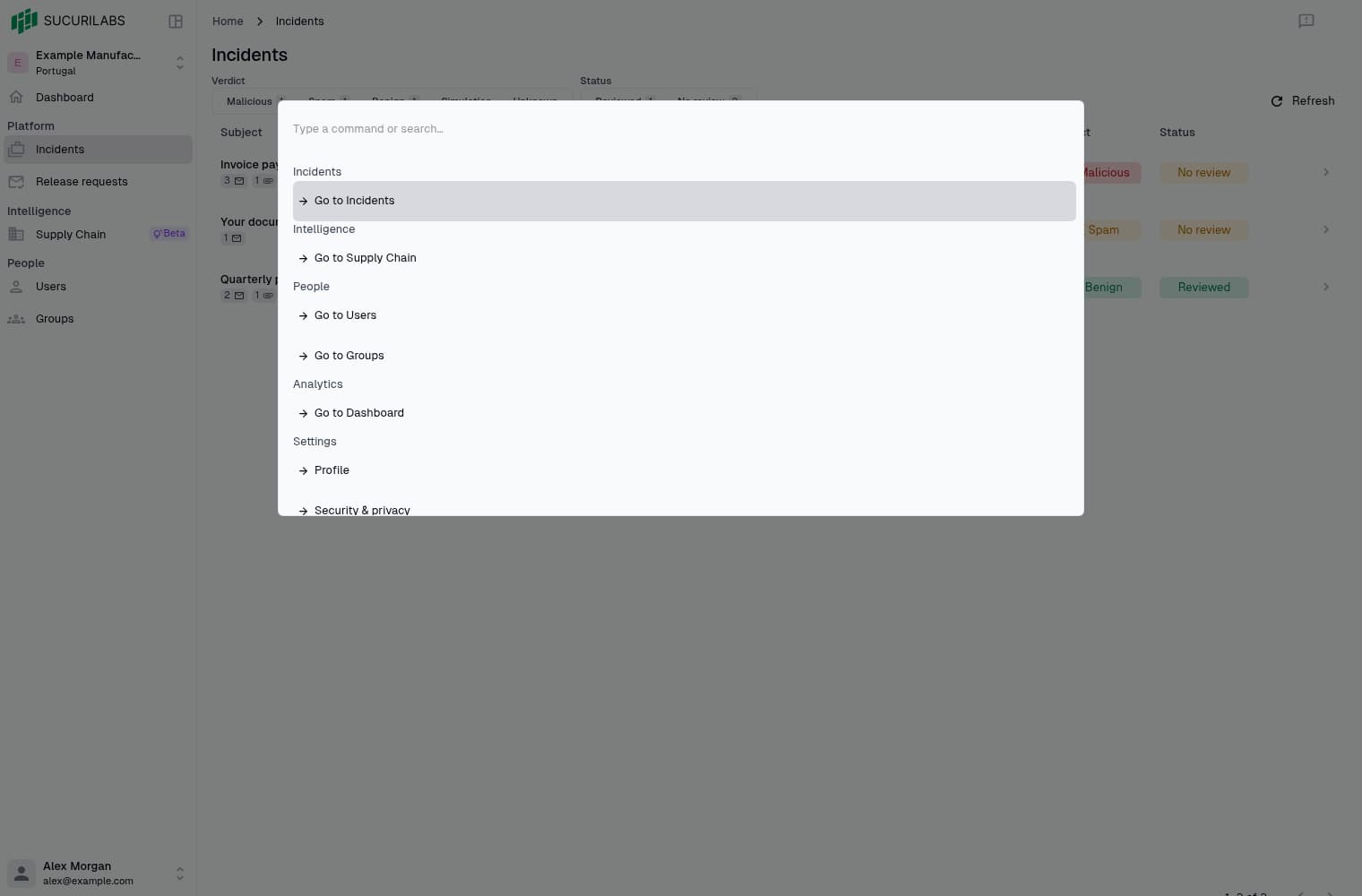
Command Search works from anywhere in the app, so you can keep moving without leaving the keyboard.
Improvements and fixes
- Use keyboard shortcuts to move between incidents and jump straight to email details or attachments.
- Open a day’s incidents from a dashboard chart without searching the full list.
- Leaving an incident with unsaved review changes now prompts you before they’re lost.
June 18, 2026
Understand the risk behind a vendor
See which vendors need a closer look and why. The new Supply Chain overview brings together exposed credentials, reused passwords, and suspicious email activity, with an AI-generated summary explaining the risk and suggested next steps.
Open a vendor to check the evidence behind its risk level. Your team’s reviewed verdicts take priority over automated ones, so the assessment reflects what you’ve found during investigations.
Find it under Intelligence > Supply Chain.
Improvements and fixes
- Vendor summaries load faster on return visits, with an option to generate a fresh one.
- Filter vendor email activity by direction or contact above the activity list.
- Reduced false alarms on legitimate emails with links, attachments, or urgent wording.
- Sender-authentication details now include results that were previously missing.
- Fixed an issue that could interrupt Microsoft 365 mailbox monitoring.