Quarantine Digests
Send daily summaries of quarantined emails so mailbox users can request a release.
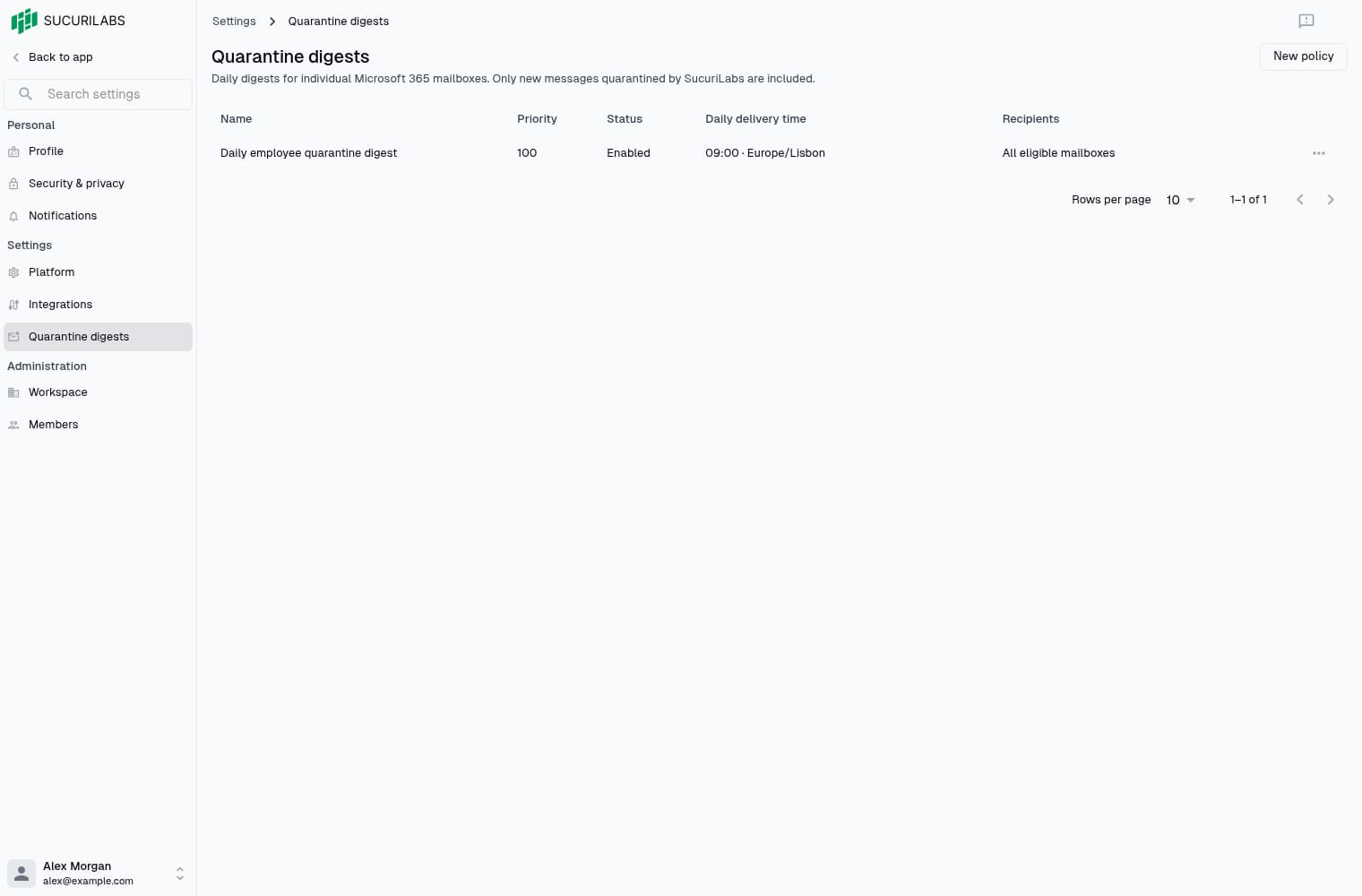
Digest overview
Digest policies define who receives a summary, when it is sent, and which reviewers are notified of release requests. Manage policies in Settings > Quarantine digests. Viewing policies requires read permission; changing them requires write permission.
Recipients can view limited message details and request a release. The security team decides whether to restore the message.
Before enabling a policy
Connect Microsoft 365 and activate protection for the mailboxes you want to include. Digests support individual mailboxes. The following mailbox types are excluded:
- Shared mailboxes
- Room mailboxes
- Equipment mailboxes
Only protected mailboxes with verified eligibility appear in recipient options.
Ask your administrator to verify:
- MailboxSettings.Read consent
- Email delivery
- Background processing
Recipient options may be empty during initial checks.
Choose at least one authorized reviewer before enabling a policy. Reviewer selection controls notifications, not permission to decide requests.
Create a policy
Select New policy, configure the schedule and recipients, then select Save policy. Policies start disabled unless you turn on Enabled.
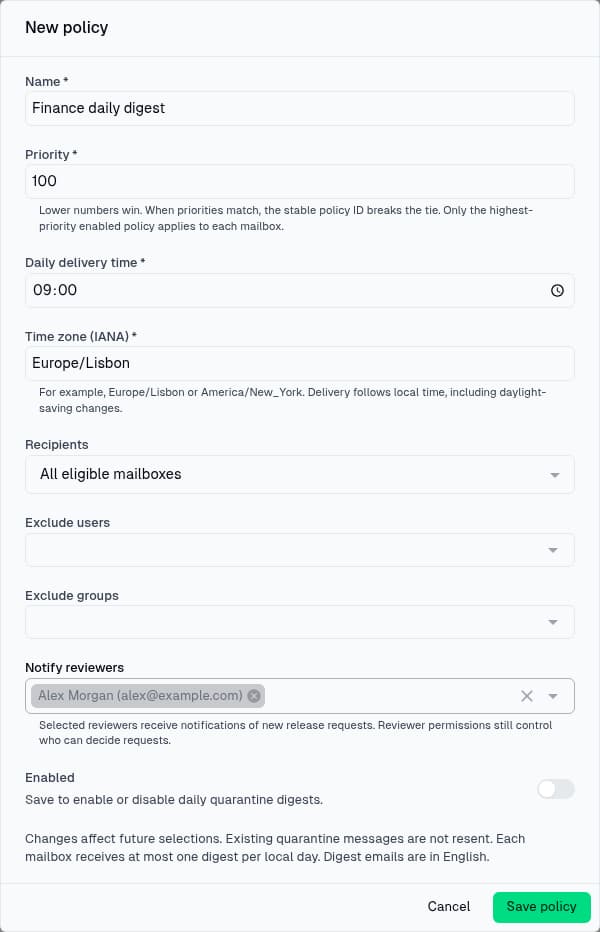
| Field | What to enter |
|---|---|
| Name | 1–128 characters |
| Priority | A whole number from 0 to 1,000,000; lower numbers win |
| Daily delivery time | One daily time in HH:mm format |
| Time zone (IANA) | For example, Europe/Lisbon or America/New_York |
| Recipients | All eligible mailboxes, or selected users and groups |
| Include users / Include groups | At least one user or group for a selected audience |
| Exclude users / Exclude groups | Users or groups to remove from the audience |
| Notify reviewers | Authorized members notified of new requests |
| Enabled | Whether the policy applies after saving |
Included users and group members form one audience. Exclusions take precedence, including for members of an included group.
If a mailbox matches multiple enabled policies, only the policy with the lowest priority number applies. Equal priorities are resolved by policy ID.
What recipients receive
Mailboxes receive at most one digest per local day, following the selected time zone and daylight-saving changes. Digests include new, eligible messages quarantined during coverage. Empty digests are skipped, as are messages verified to have been moved or deleted.
Enabling or re-enabling coverage does not include old quarantines. Changing a policy or priority does not resend delivered entries. Digest emails and the release-request experience are currently in English.
See Request an email release for recipient instructions and Release requests for review.
Manage policies
Open a policy’s actions menu to:
- Edit
- Enable
- Disable
- Delete
Read-only members can view details.
Disabling stops the policy from applying, another matching enabled policy may take over. Deleting requires confirmation and preserves historical deliveries and release requests. Deleted policies cannot be re-enabled.